Teams Rooms on Android – June 2026 Release Highlights and Demos

Loading

Teams Rooms on Android (June Update): SIP/H.323 Dialing, Webinar Front-of-Room Control, Pexip Interop & Pro Management Portal Shift

Graham from Neat walks through the latest Teams Rooms on Android release, highlighting new front-of-room controls for webinars and structured meetings, private chat access for Town Hall organizers/co-presenters, and long-awaited outbound SIP/H.323 dialing via supported partners like Pexip (with incoming SIP noted as coming in a future release). He demonstrates enhanced cross-join SIP interoperability for Zoom/Webex using Pexip Interop to enable dual screen, 1080p, and HDMI content sharing, plus SIP Guest Join and ad-hoc joins by SIP URI. Other updates include meeting stage improvements, an option to open the chat panel by default, focus-on-content optimizations, one-touch speaker mute, removal of the in-meeting dial pad, PSTN interface support for India, Together Mode removal, and a fix for duplicate video feeds in large galleries. He also previews device management moving from Teams Admin Center to Teams Rooms Pro Management Portal with faster, fuller actions and phased rollout timelines.

00:00 Whats New Overview
00:16 Webinars Town Halls Control
00:51 SIP Dialing Arrives
01:15 Cross Join Interop Boost
01:48 Meeting Views Chat Audio
03:00 Pro Portal Management Shift
03:33 Enable Chat Default Setting
04:24 Meet Now Demo Changes
04:56 Zoom Webex Interop Demo
05:26 SIP Provider Dial Out
06:11 Join By ID Ad Hoc
06:58 PMP Migration Timeline
08:46 Wrap Up Next Steps
00:00 Teams Rooms on Android – June 2026 Release Highlights and Demos

Teams Rooms on Android – June 2026 Release Highlights and Demos Read More »

Update Your Teams Device Without Interrupting Meetings

Loading

Why Your Microsoft Teams Panel Won’t Update During Meetings (Teams Admin Center Tip)

Graham from Neat shares a quick tip after trying to update a Teams panel that kept timing out. In the Teams Admin Center, he finds the message indicating the update operation was rescheduled because there was a scheduled meeting. The key takeaway is that Teams devices won’t update when a meeting is scheduled, helping prevent interruptions during meetings.

00:00 Update Keeps Timing Out
00:09 Teams Admin Center Clue
00:15 Meetings Block Updates
00:26 Quick Tip Wrap Up

Update Your Teams Device Without Interrupting Meetings Read More »

Setting up Neat Pulse MCP Server

Loading

How to Set Up the Neat Pulse MCP Server (Beta) on Windows 11 with Claude Desktop

Graham from Neat walks through first-time setup of the Neat Pulse MCP server (beta) on a Windows 11 machine, announced at InfoComm in mid-June, explaining that the MCP runs locally and enables efficient interaction with the Neat Pulse platform. He reviews beta capabilities such as listing and managing rooms, rebooting devices, creating and changing room configurations, generating enrollment codes, checking Neat Sense sensor data, and sending room messages, noting setup takes about 10 minutes and requires a paid Pulse subscription for API access. Using the support guide, he installs Node.js 18+ and Claude Desktop, creates and copies a Pulse API key (read or read/write) and tenant/organization ID, adds the MCP configuration to Claude’s config JSON, troubleshoots JSON bracket/comma errors (using Code Writer and Claude), restarts Claude, and confirms the MCP is running by querying the number of meeting rooms and creating a project.

00:00 Intro and MCP overview
00:36 Beta features and requirements
01:00 Find the MCP beta guide
01:19 Choose your AI assistant
02:03 Install Node and Claude
03:03 Create Pulse API keys
04:32 Build the MCP command
05:30 Edit Claude config JSON
06:43 Fix JSON errors
08:48 Test MCP in Claude
09:31 Wrap up and cautions
09:51 Config file location recap

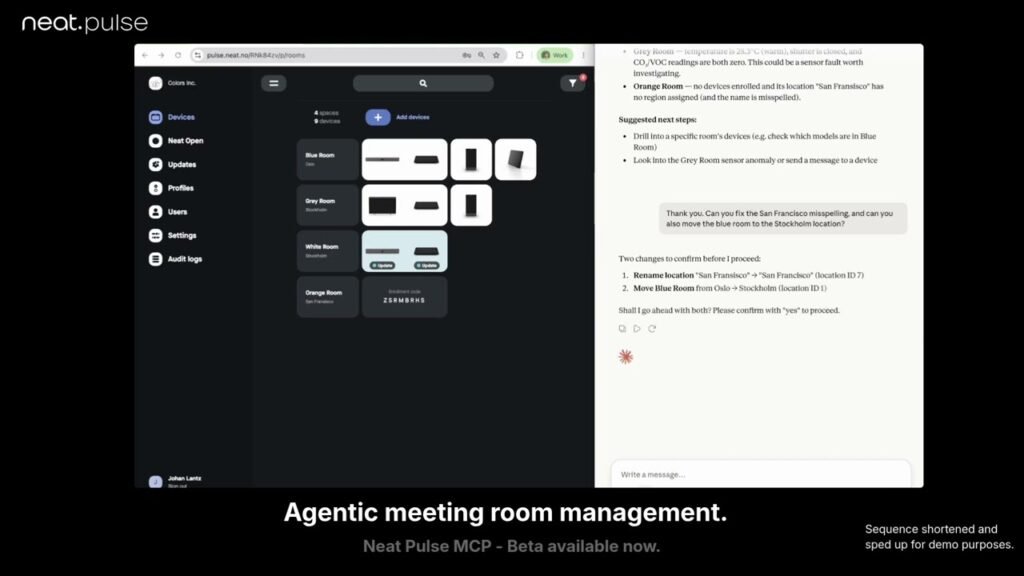
News article – https://neat.no/stories/debuting-agentic-meeting-room-management-with-neat-pulse-mcp/
Support / Setup Article – https://support.neat.no/article/neat-pulse-mcp-server/

Setting up Neat Pulse MCP Server Read More »

Neat Pulse MCP Server Overview

Loading

Neat Pulse MCP Server Demo: Manage Rooms and Devices with Claude

Graham demonstrates how the Neat Pulse MCP server, using a required API key and local MCP installation integrated with Claude, enables day-to-day device management by prompting. He shows how to query room health and offline status, check a room’s readiness and sensor data (temperature and humidity), schedule device reboots, create new rooms and generate enrollment codes, and delete rooms via read/write access. He also changes device settings such as camera framing mode and enables additional microphone coverage, and queries which devices are currently in a call. The demo includes using sensor insights to address environmental issues, assigning rooms to locations, listing locations, and mentions an upcoming feature to move devices like scheduling pads to specific rooms. The Pulse MCP will be available soon with a Neat Pulse paid plan.

00:00 Intro to Pulse MCP
00:08 Setup and API Key
00:34 Check Offline Rooms
01:02 Room Status and Reboot
01:30 Create and Delete Rooms
02:08 Change Camera Framing
02:37 Monitor Calls Live
02:57 Enable Audio Features
03:24 Use Sensor Insights
03:42 Assign Rooms to Locations
04:07 More Automation Coming
04:34 List Locations and Wrap Up

Neat Pulse MCP Server Overview Read More »

Exploring the Latest Microsoft Teams Panel Features – May 2026 Update

Loading

Microsoft Teams Panel Update on Neat Pad: Guest Room Booking, User Attribution & Check-Out

Graham from Neat demos the latest Microsoft Teams Panel update at the Neat Experience Center in London, showing how Neat Pads and Teams Scheduling Panels display room availability with LED indicators and room equipment details, then walks through reserving a room with the new ability to choose any start time. He explains an admin-enabled setting (pushed via Teams Admin Center and soon Pro Management Portal) that allows “Guest/Attendee” selection so the panel can search the internal directory and reserve the room under a specific person, displaying “Reserved for Graham Walsh” for better room analytics. He also highlights meeting management options like extending a reservation and checking out early to end the booking and return the LEDs to green so others can see the room is available.

00:00 Teams Panel Overview
00:19 Finding a Free Room
00:36 Flexible Time Booking
00:54 Enable Guest Booking
01:18 Reserve Under Your Name
01:51 In-Room Reservation Display
02:03 Manage and Check Out
02:21 Wrap Up and Thanks

Exploring the Latest Microsoft Teams Panel Features – May 2026 Update Read More »

Scroll to Top