
Microsoft Teams Devices Podcast – Episode 04

In episode four here, I cover off the differences between the Microsoft Teams Room on Windows and Android and how they are coming closer together.
In episode four here, I cover off the differences between the Microsoft Teams Room on Windows and Android and how they are coming closer together.

Hi readers I’d thought I’d cover a year in review for 2021 to see how far I’ve come. Let’s start off with YouTube. YouTube I’ve been trying to create more video this year and it has seemed to work well. I have managed to make the YouTube Partner Programme, so now my kids can call
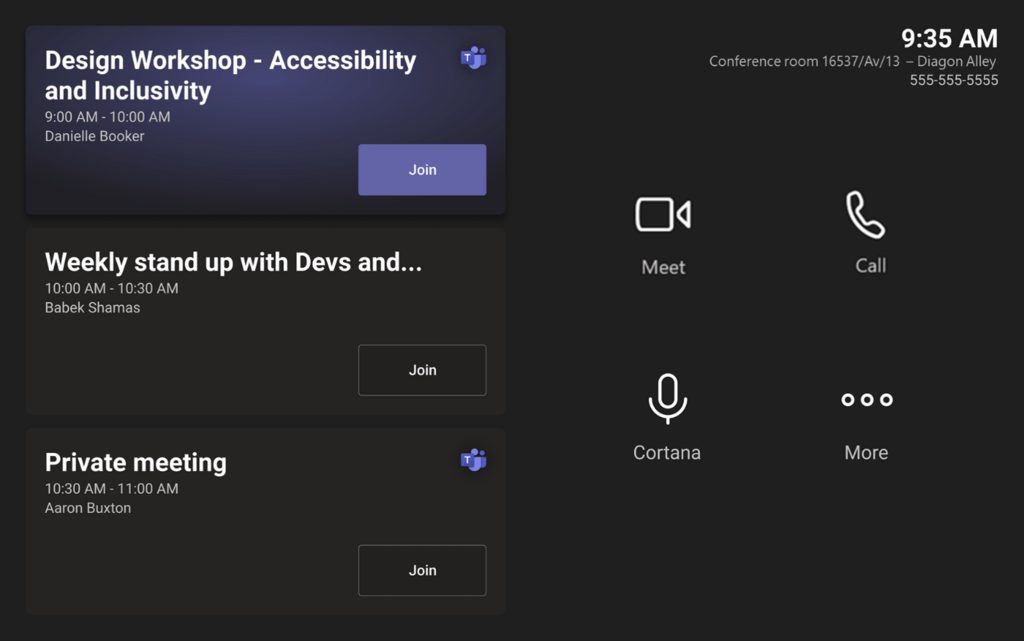
There was a new Message Center update this past week talking about some changes to the Microsoft Teams Room on Windows home screen experience. The main update on this is covered in Message Center ID MC306665. This then links to two Microsoft Roadmap items, ID 89066 and 89069. Let’s look at now vs. what is
Changes to the Microsoft Teams Room on Windows Home screen Read More »

The first session where we are hosting the MTDAMA session in two time zones. Thanks for all the great feedback and contributions. Below are the slides from the session. This is an embedded Microsoft Office presentation, powered by Office. EMEA/NA Q&A Q. Is Graham using a Neat One now? 🙂A. Nope, not yet released 😀
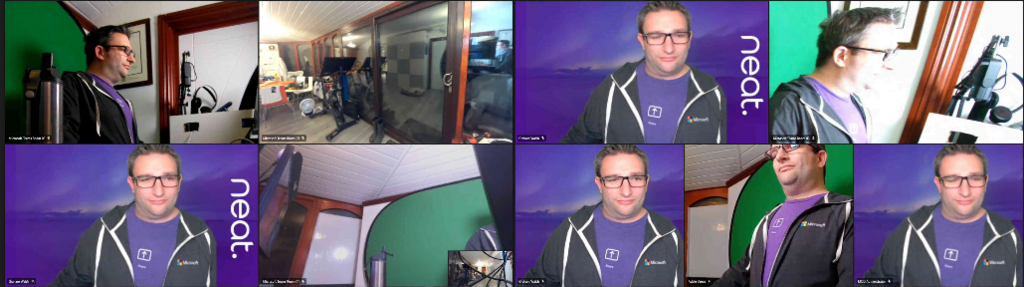
Looking for the new split video layouts on Microsoft Teams Rooms? Well, the wait is over (or at least unit it reaches your tenant) as Microsoft has pushed this update via the web service. This is documented here. Let’s look at what this means with single and dual screen setups. Click on an image to

As many of you will know, I was working for Crestron Electronics, working with Microsoft Teams Rooms mainly and a bit of Zoom Rooms. More recently, the new Microsoft Teams Phones and Panels too. However, the time has come to switch it up a gear, and I am moving to Neat. Neat (based in Norway,